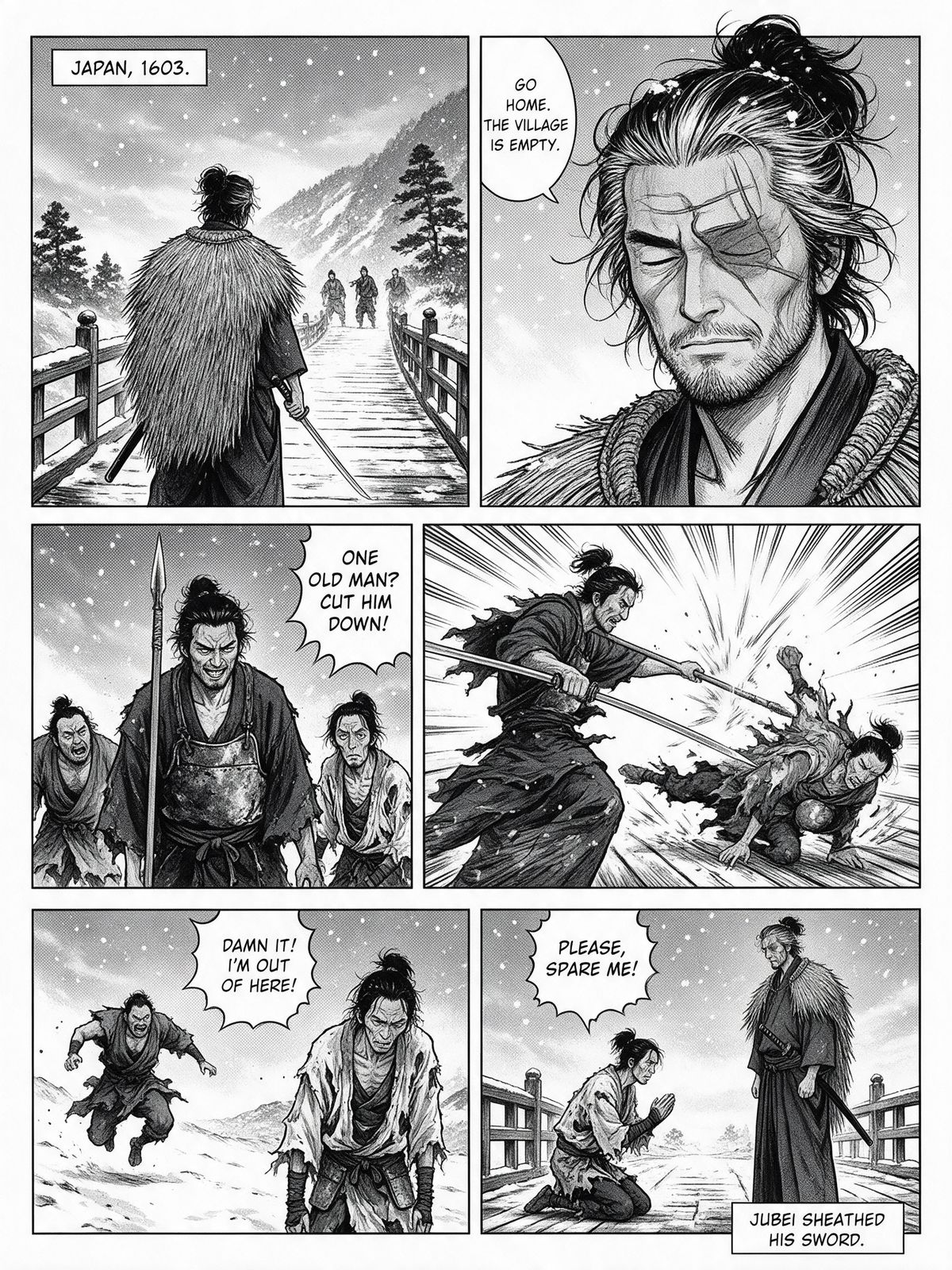
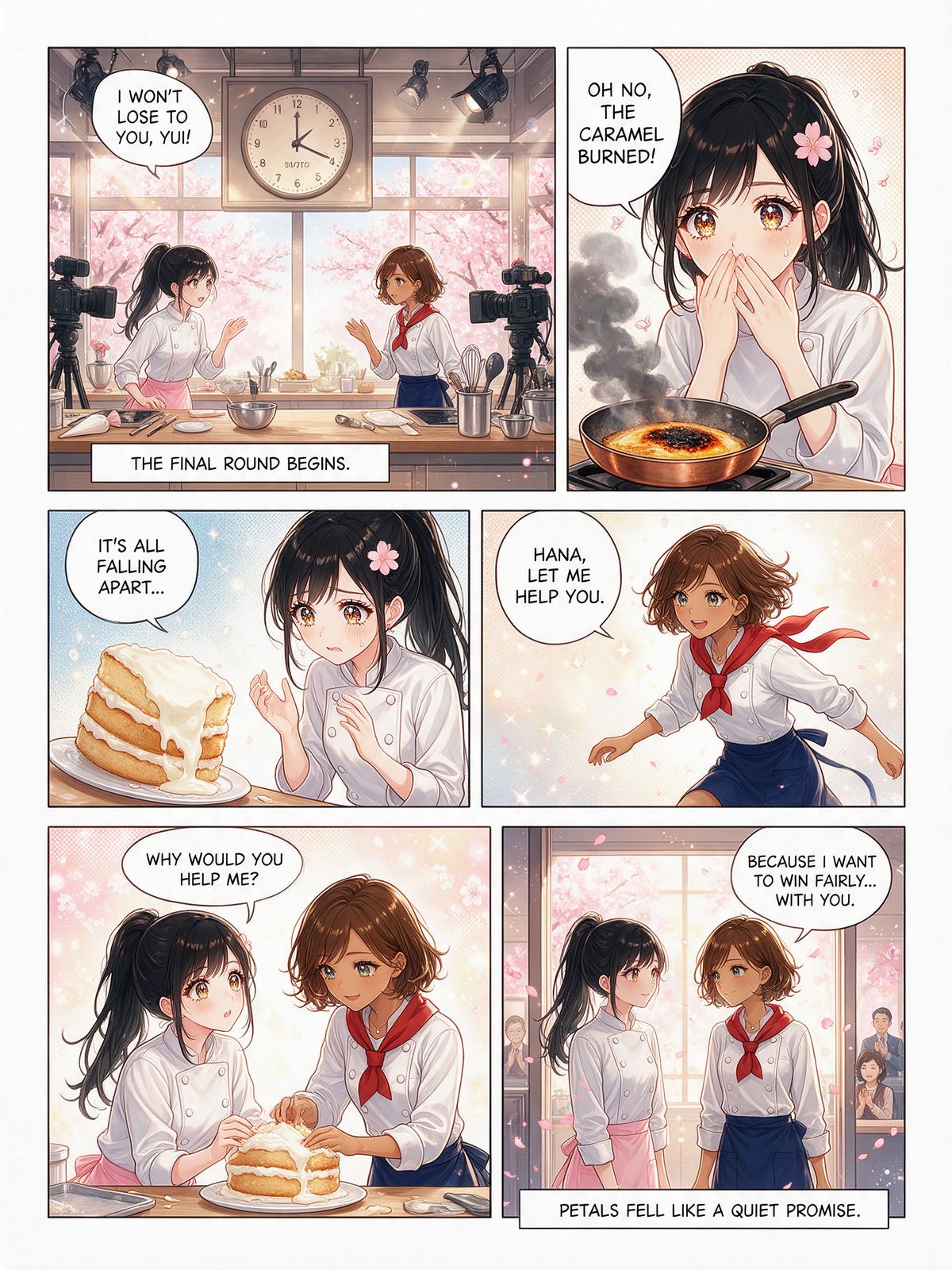
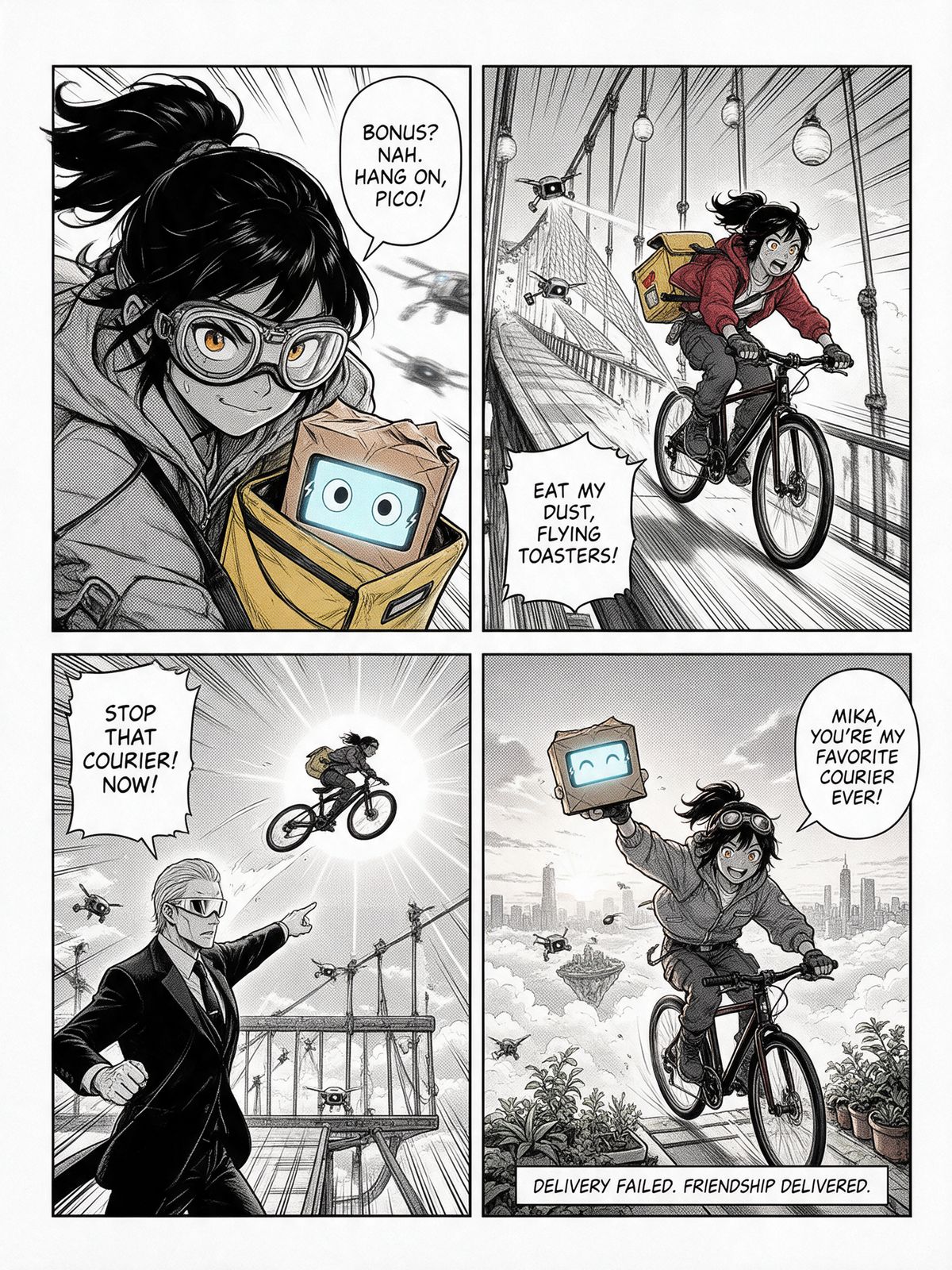
Ai-Koma is an AI manga generator built for stories, not single pictures. You pick a genre and write a few lines; the AI writes a storyboard panel by panel, with the dialogue, which you read and edit; then it draws each manga page as one finished image: panels, characters, backgrounds, screentones and speech bubbles lettered in English. One to eight pages per chapter, and as many chapters as your story needs.
Here, creating a manga with AI takes two to four minutes for the storyboard, then three to six minutes per page. The 50 credits you get on sign-up cover the storyboard and drawing of a first page, so you see your own story drawn before paying anything.
Pick your genre: 32 manga styles
A manga is first of all a genre, with its own codes: speed lines in a shōnen fight, flowers and sparkles in a shōjo confession, brush ink in a samurai duel. The studio offers 32 manga styles, each with its own linework and mood. A few of them, sorted by what you want to tell:
- Fights, quests, rivalries: Shōnen adventure, Epic fantasy, Isekai / another world, Mecha / science fiction, Sport and grit, Wuxia / martial arts.
- Love stories: Romantic shōjo, Expressive romance, Boys’ love, Girls’ love (yuri).
- Everyday life and laughs: Slice of life, Light comedy, Modern webtoon.
- History and other worlds: Samurai / Edo Japan, Steampunk, Retro 80s-90s anime.
- Mysteries: Mystery and investigation, Gothic / vampires, Post-apocalyptic.
Six more styles draw Western comics and bande dessinée instead of manga, for 38 in all; they have their own page, the AI graphic novel maker. Torn between shōnen and seinen? Our guide to the main manga styles explains what each readership expects.
Black and white or colour
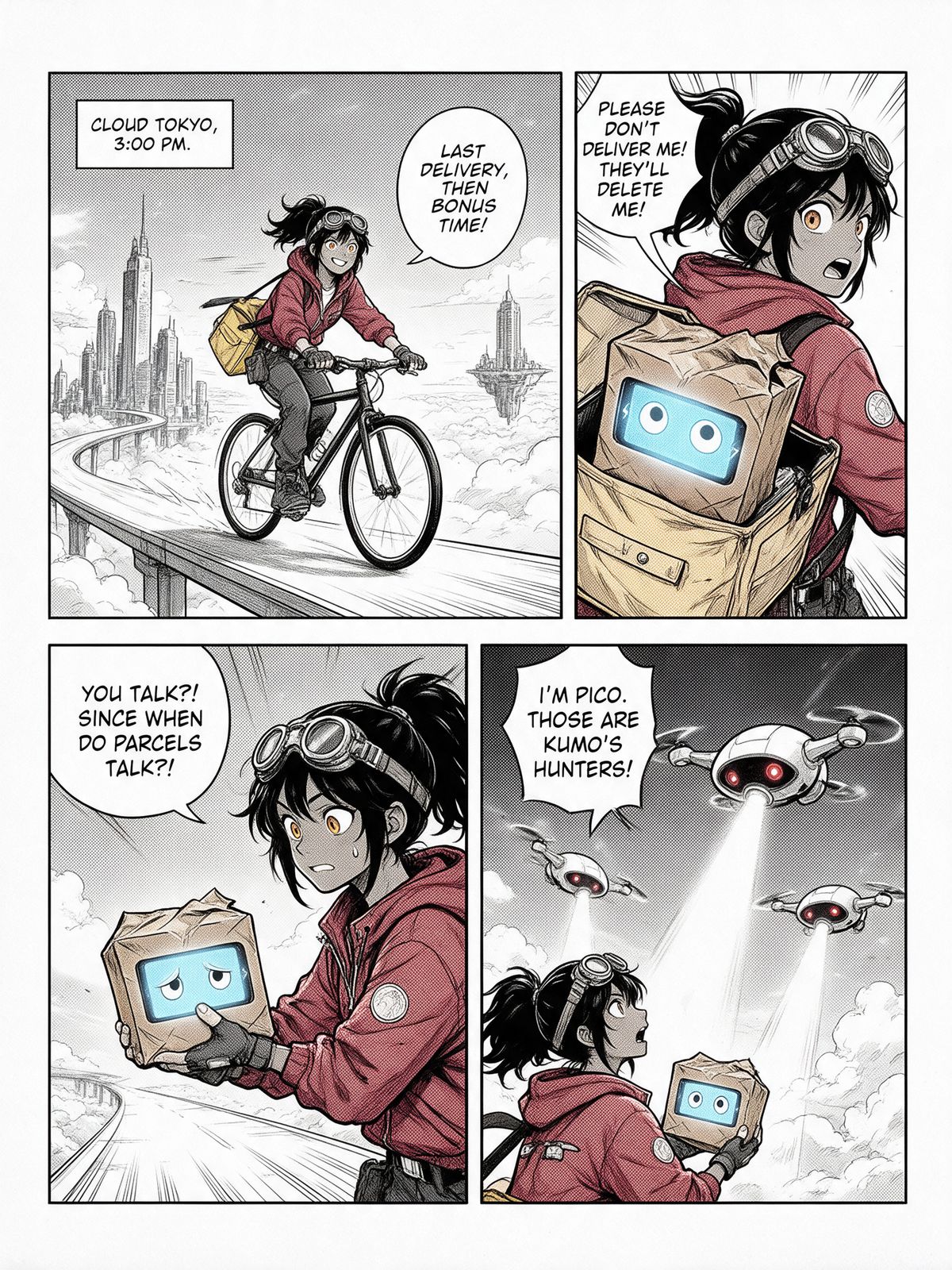
Printed manga is black and white, and the studio can draw it that way: ink, solid blacks and screentones, the dot patterns that shade skies, clothes and faces. Choose colour instead and you get full-colour pages, closer to a webtoon or an anime still. Our rule of thumb: black and white for tension and speed (adventure, samurai, mystery), colour for warmth and gags (romance, comedy, slice of life). Both cost the same.
Three things a manga generator has to get right
- The same faces on every page. Before page one, the studio draws a character sheet for your main cast; every page is then drawn from it, so your hero keeps her goggles and her ponytail from panel to panel and from chapter to chapter.
- Panels that read in order. 3, 4 or 6 panels per page, read left to right and top to bottom. Three give big, cinematic panels; six suit scenes full of dialogue.
- Words inside the bubbles. The lines from your storyboard are lettered into the image, in English on this site, along with captions such as “Cloud Tokyo, 3:00 PM.”
Five prompts to try in the AI manga generator
A good prompt reads like the back cover of a volume: who, where, what goes wrong, how it ends. Here are five to copy, adapt or use as a model; each one names the style it was written for.
- Shōnen adventure, black and white. “Ren, 19, the worst student at a school for dragon riders, is paired with the dragon nobody wants: an old, half-blind one that refuses to fly. On tournament day, it finally takes off, straight towards the enemy fleet.”
- Romantic shōjo, colour. “Mei, 24, runs a tiny flower shop. Every Friday at closing time, the same tall stranger buys a single white rose. One rainy Friday, he walks in empty-handed and asks for her name.”
- Light comedy, colour. “On his first day as a wizard’s apprentice, Tom turns the head wizard into a goose. He has until sunset to undo it, and the goose keeps biting him.”
- Samurai / Edo Japan, black and white. “Kyoto, 1650. Oharu, a retired swordswoman who now runs a tea house, recognises the masked customer who has just walked in: the man who killed her master. She pours his tea.”
- Mystery and investigation, black and white. “During a ninety-second power cut, a painting vanishes from a locked museum room. Aoi, 31, the night guard, was the only one inside, and she comes to holding the empty frame. She has until the museum opens to prove she didn’t take it.”
Forty more, five per genre, are waiting in our list of manga story ideas. Paste one into the studio, change the names, and add one detail nobody else would have thought of.
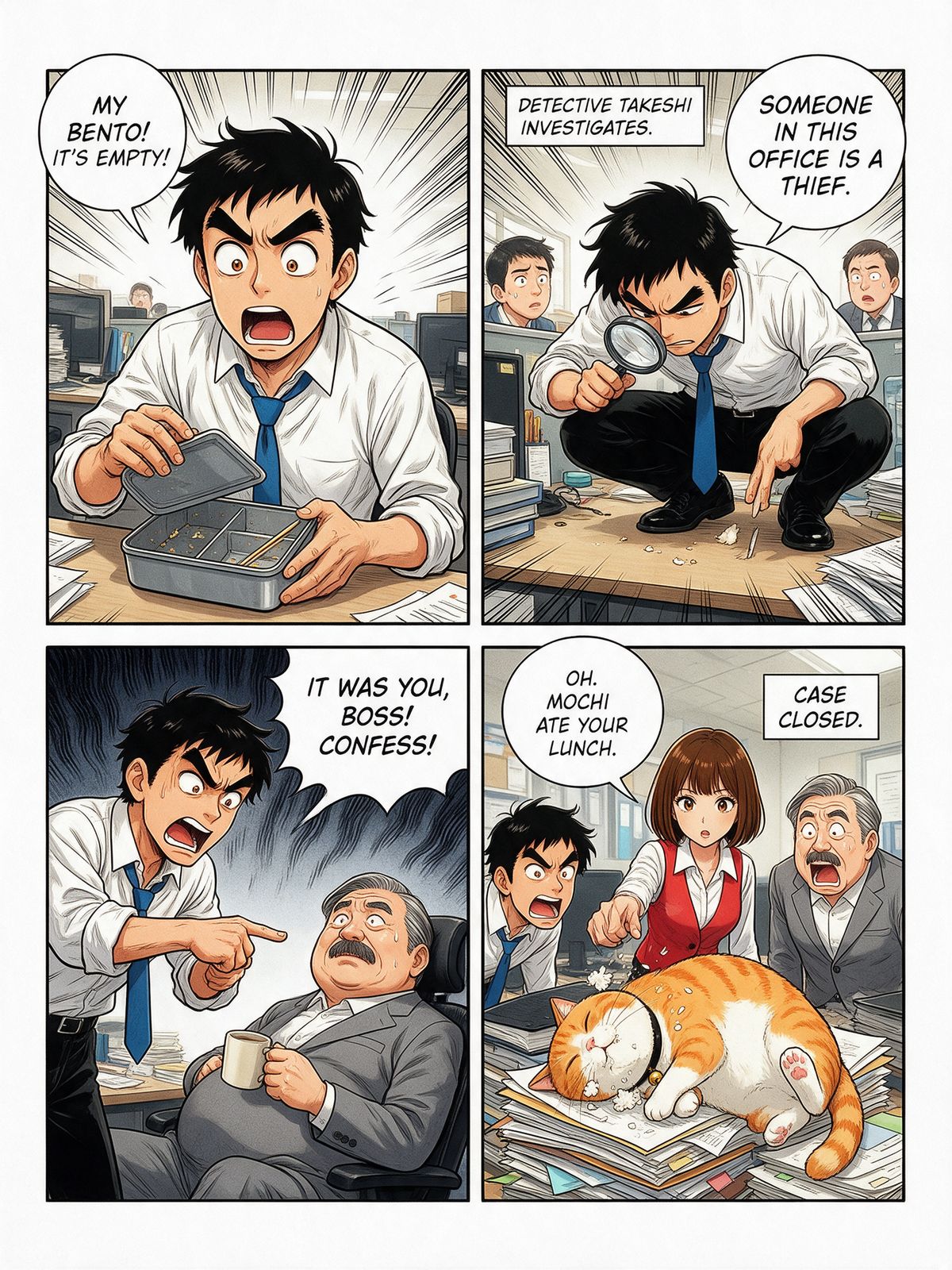
From prompt to finished manga, step by step
- Set the direction: style, black and white or colour, 1 to 8 pages, 3, 4 or 6 panels per page, and the cast if you want to choose origins and body types.
- Write your story, from three lines to a whole short story.
- Edit the storyboard. Every panel is described, with its line of dialogue. Rewrite anything; nothing is drawn until you approve it.
- Let it draw. The character sheet first, then the pages. You can close the tab in the meantime.
- Read, fix, keep. A misspelt bubble? “Fix a bubble” reletters it for free, without touching the drawing. An awkward pose? “Redraw this page” draws the page again from the same text. Each page downloads as a PNG, the chapter as a PDF, and the bound edition adds a cover drawn by the AI.
The full method, with tips for writing a story that draws well, is in our guide to turning a story into a manga.
What an AI-made manga costs
One credit is one euro cent. A one-page manga costs 50 credits, exactly what you get on sign-up; a four-page manga, 140 credits (€1.40); an eight-page chapter, 240. Credits come in packs at €5, €15 or €40, or with a €12 monthly subscription for 1,800 credits; they never expire, and no subscription is required. The full price list is on the AI comic generator page.
The limits, honestly
- Pages read left to right and top to bottom, like a Western comic, not right to left as in Japan.
- The lettering is drawn by the AI, so a word can come out misspelt. Keep lines short, and redraw the page if you need to.
- The AI makes choices. A pose, a background or an expression may differ from the one in your head; the storyboard is where you steer.
To see what it produces before you start, the gallery shows pages in several genres, each with the story that produced it.
Frequently asked questions
How do I create a manga with AI?
Choose a style, write your story in a few lines, then review the panel-by-panel storyboard the AI writes from it. Once you approve it, the studio draws a character sheet, then every page in full, speech bubbles included. Allow two to four minutes for the storyboard and three to six per page.
Can the AI manga generator draw in black and white with screentones?
Yes. In black and white, pages are inked with solid blacks and screentones, like a printed manga. You can also choose colour, at the same price.
Can I choose the manga genre?
Yes: 32 manga styles, from shōnen to shōjo, isekai to samurai, slice of life to mystery. Six comics and bande dessinée styles complete the list, for 38 in all.
Do the pages read right to left, like Japanese manga?
No. They read left to right and top to bottom, like a Western comic, and the bubbles, captions and panel order all follow that direction.
Can it draw manga in an anime style?
The Retro 80s-90s anime style recreates the look of the series of those years: angular faces, big hair, cel shading, bold lighting. For a more current look, try Modern webtoon or Shōnen adventure in colour.
Is the AI manga generator free?
Not entirely, and we would rather say so: the 50 credits you get on sign-up pay for a first page, storyboard included. After that, a four-page manga costs €1.40.
Can I use my own characters?
Yes: describe them in your story, with an age, a hairstyle, an outfit and one detail that sets them apart. The character sheet is drawn from your description, then used as the reference for every page.